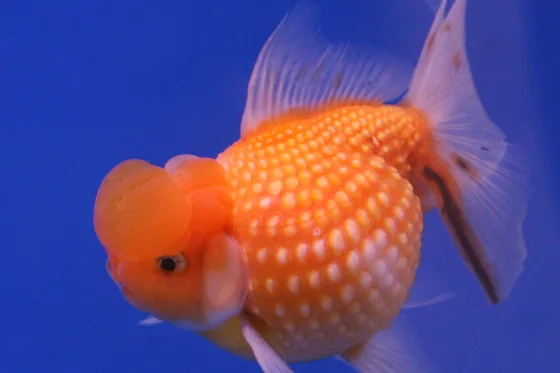
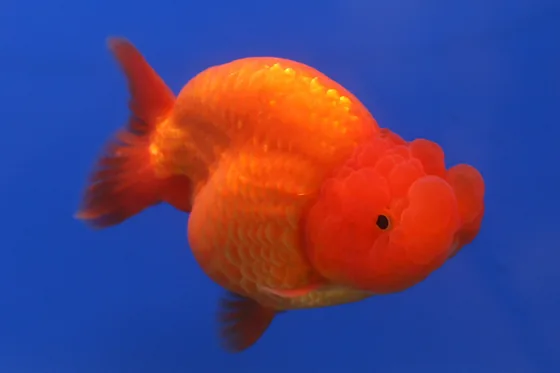
A red-cap oranda goldfish swimming towards the camera out of black water, its white fins trailing and its orange hood lit from above

A field guide to Carassius auratus

How long a goldfish lives

A goldfish can outlive the family dog.

Ranges and record: how long goldfish live.

The bowl was never the plan.

The approach

A goldfish is a carp. Everything here follows from taking that seriously: the tank it will outgrow, the water it lives in, the decades it can last.

An ink drawing of a deep-bodied goldfish with no tail fin, its dorsal and anal fins greatly elongated and streaming behind the body
Fig. 23, The Meteor. Original drawing from life, in W. T. Innes, Goldfish Varieties and Tropical Aquarium Fishes (Philadelphia, 1917), p. 38. Plate: Franklin Barrett — Public domain · Wikimedia Commons

From the atlas

The goldfish that survives only as a drawing.

Most fish in the atlas are described by what they have. The meteor is described by what is missing: its body stops where the tail should begin. A 1917 book from Philadelphia says it had been bred until the type was well fixed and that it was shown at exhibitions; after that the record goes quiet.

No verified population is known. What survives is a paragraph of text and one drawing, made from a living fish.

Read what the record shows
Put gold.fish on your home screen

It opens full screen, like any app, and the pages you have read open without a connection.

  1. Tap Share

    The square with an arrow pointing up. In Safari it is in the bar at the bottom of the screen, or at the top on an iPad; if you see only the address, tap ••• beside it first. In Chrome it is at the right of the address bar.

  2. Choose Add to Home Screen

    If it is not in the list, scroll down, or tap View More.

  3. Tap Add

    If your iPhone shows Open as Web App, leave it on. The icon joins your other apps.

  1. Open the browser’s menu

    The three dots at the top right in Chrome, or the three lines at the bottom in Samsung Internet.

  2. Choose Install app

    Some browsers call it Add to Home screen; in Samsung Internet it is under Add page to.

  3. Tap Install

    The icon joins your other apps, on the home screen and in the app drawer.